

Workflows
The Workflows screen shows workflow runs for a Watt application that uses the Vercel Workflow DevKit with @platformatic/world. The Workflows tab appears in the Watt detail sidebar when the Workflow Service is enabled.
Runs List
Section titled “Runs List”The runs list shows all workflow runs for the selected application with status, version, duration, and timestamps. Use the search box to filter by workflow name or run ID, and the status dropdown to filter by run status.
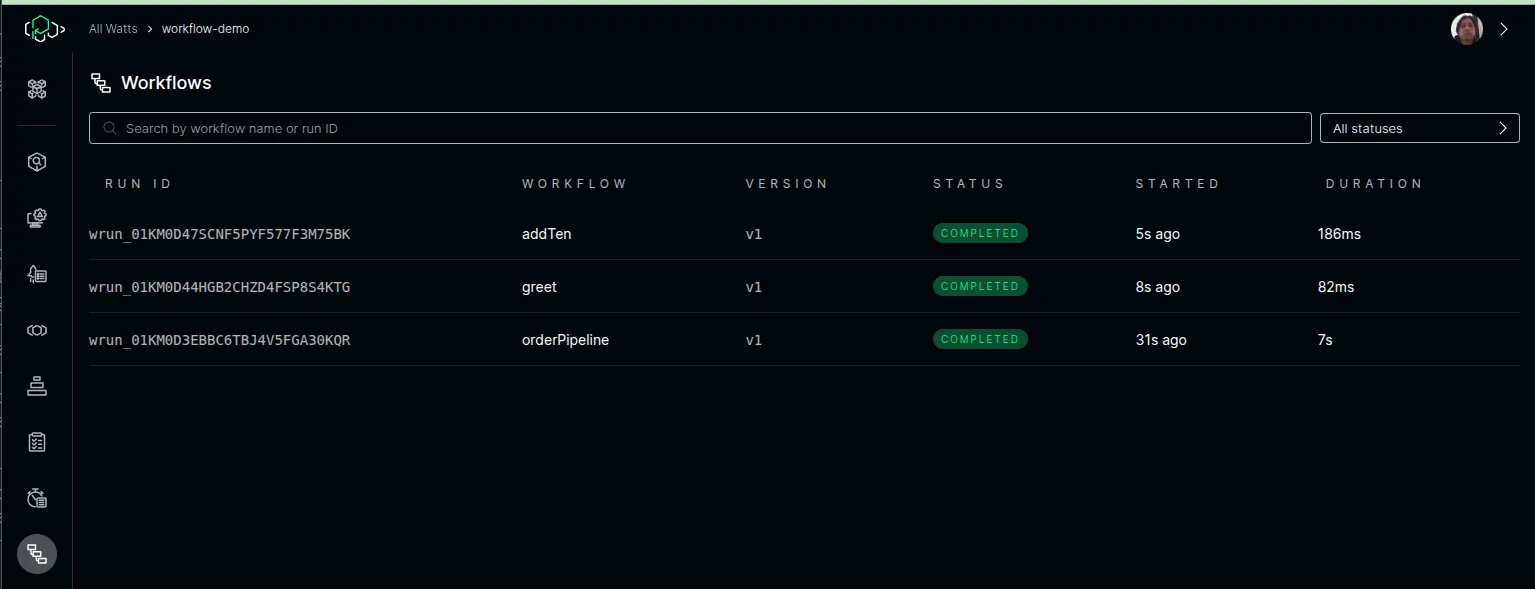
Click a run to open its detail view.
Run Detail
Section titled “Run Detail”The run detail view shows the full execution trace, graph visualization, events, hooks, and streams for a single workflow run.
The default tab shows a waterfall trace of all steps in the workflow. Each step appears as a horizontal bar on a time axis. Click a span to see its duration, attempt count, and events.
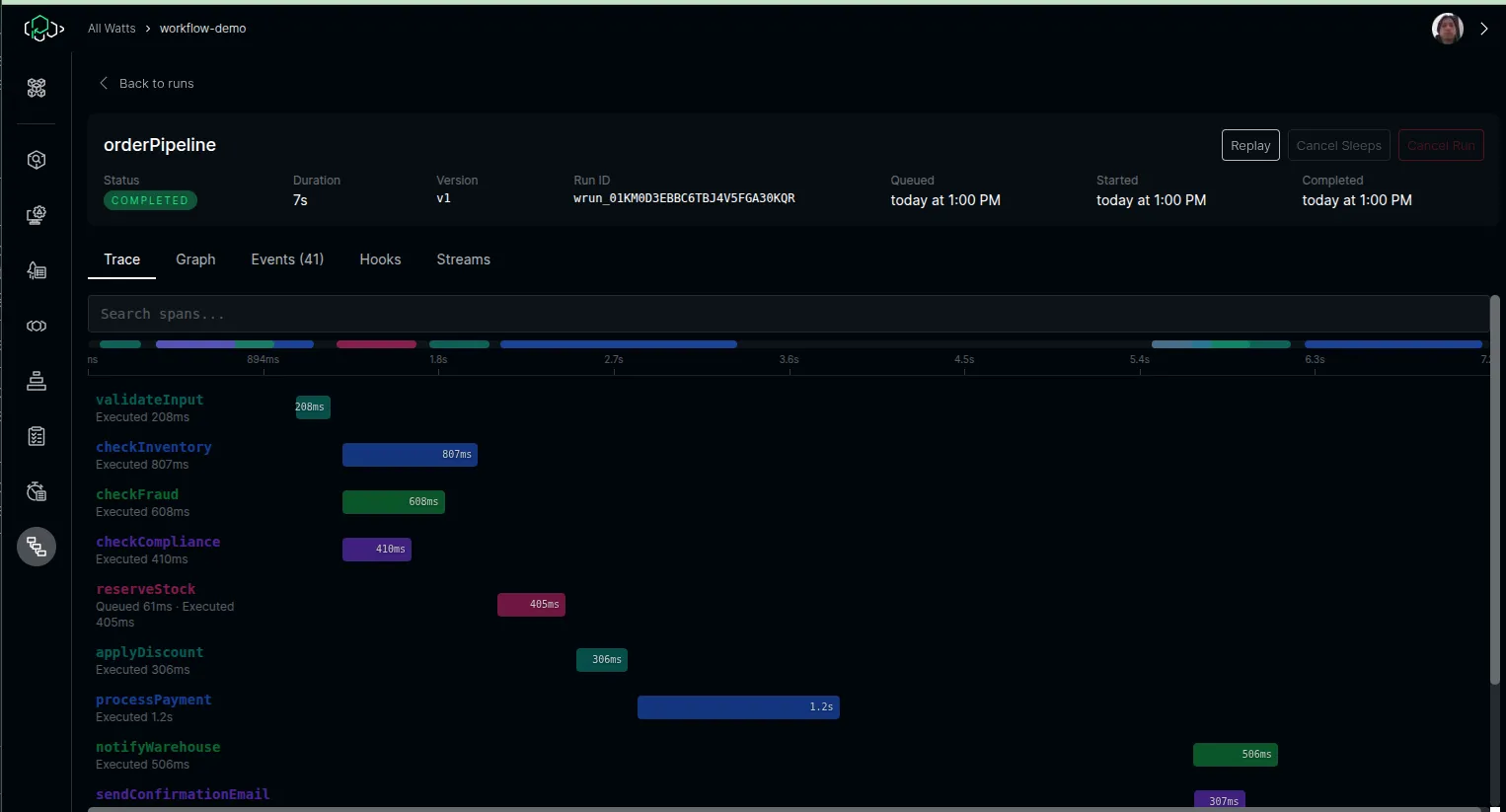
For workflow versions that have completed at least one run, the trace pre-renders all expected steps as placeholders while the run is in progress.
The Graph tab visualizes the workflow as a directed graph. Sequential steps are connected vertically, and parallel steps (e.g., Promise.all) are laid out side-by-side.
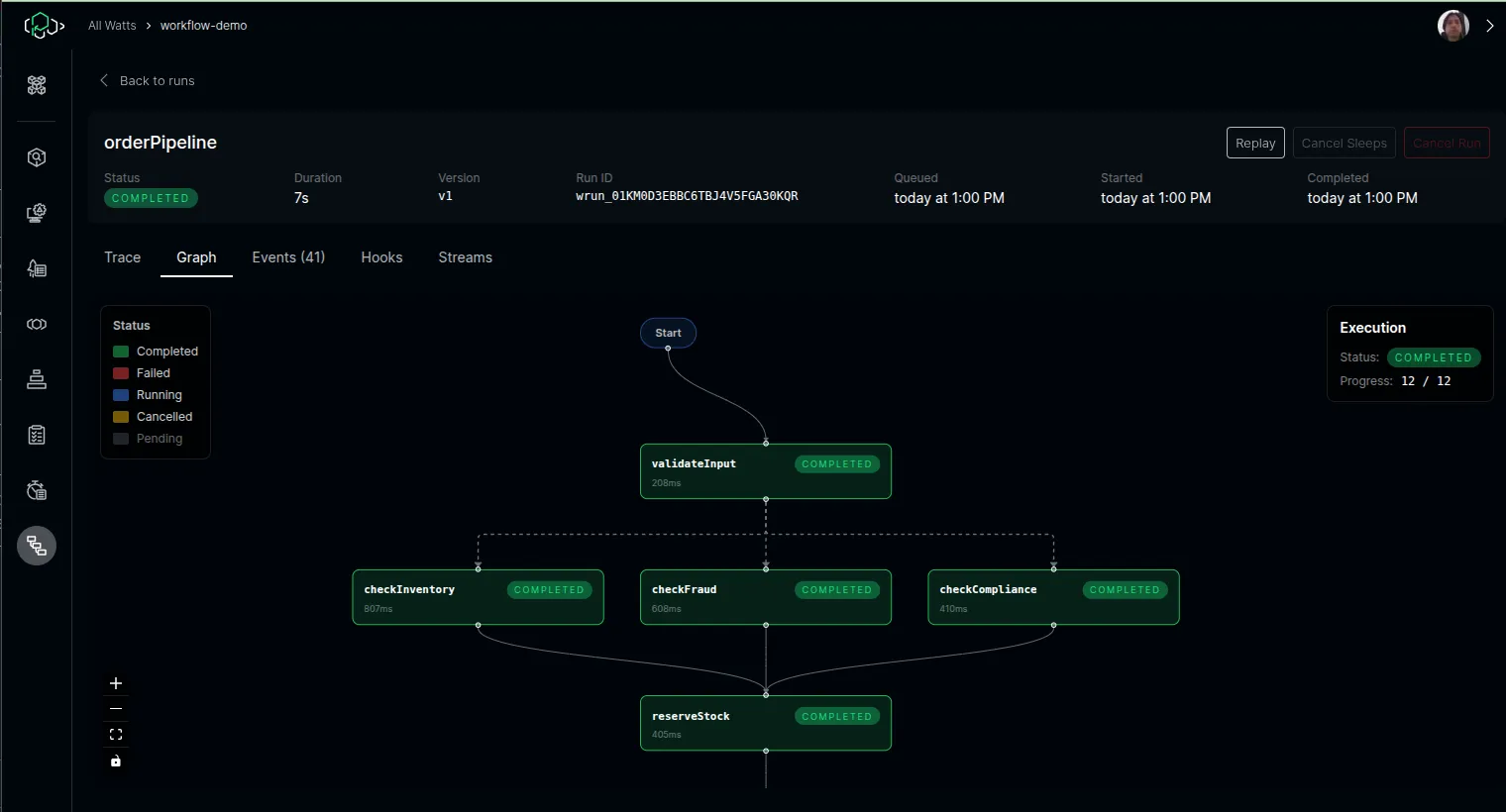
The End node only appears when the run reaches a terminal state (completed, failed, or cancelled). While the run is in progress, the graph shows only the steps discovered so far — or the full pre-rendered structure if a previous run of the same version has completed.
Events
Section titled “Events”The Events tab shows a detailed table of all events in the run. Click any row to expand and inspect the event data payload.
The Hooks tab shows all hooks (including webhooks) created during the run, with their token, status, and timestamps.
Streams
Section titled “Streams”The Streams tab shows data written by workflow steps via the getWritable() API. Each stream is listed with its chunk count. Click to expand and view the decoded content.
Run Actions
Section titled “Run Actions”The run detail header includes action buttons:
| Action | Description |
|---|---|
| Replay | Creates a new run with the same input, targeting the original deployment version. A confirmation dialog is shown before proceeding. |
| Cancel Sleeps | Cancels active sleep operations for a running workflow. |
| Cancel Run | Cancels a running workflow. |
Actions are disabled when the deployment version has been expired by ICC.